Companies often need to preserve information that could be relevant to commercial disputes and sensitive cases. In case if litigation is anticipated, a company may need to stop its usual deletion of documents and records because a litigation hold helps ensure that relevant information is preserved. For example, emails, files, messages, contracts, and so on.
Our article will break down what is a litigation hold, when duties start and how long it lasts.
A Litigation Hold: Explained
A litigation hold is also called a legal hold or preservation hold. It’s a formal notice to specific employees from a company’s legal team. It doesn’t apply to all employees of the company, but only to those who have to preserve information connected to an actual or anticipated legal matter. Recipients of this notice must not delete, edit, move, or destroy relevant material they work with.
This duty is based on a specific U.S. litigation principle that says that parties must preserve evidence that may be relevant to a claim or defense. This obligation applies to both sides.
Once litigation is anticipated, both parties must stop routine document destruction and take specific steps to preserve potentially relevant evidence.
When Does the Duty to Preserve Start?
The duty to preserve information begins when litigation is anticipated. For example, when a case is already at a specific stage. However, to start a litigation hold, a company doesn’t need to wait until it receives a complaint or is served with a lawsuit.
Here are several situations to initiate such a process:
- A demand letter notice from another party.
- A complaint from an employee or customer.
- A threat of legal action, that can also be made during a conversation.
- A government inquiry.
- An incident that could lead to a workplace injury.
- The company’s own decision to bring a lawsuit against another party.
Which Data Does a Litigation Hold Cover?
Depending on a data format, any information relevant to the case or dispute can be a matter for a litigation hold. For example, paper documents and electronically stored information.
The hold may cover the following:
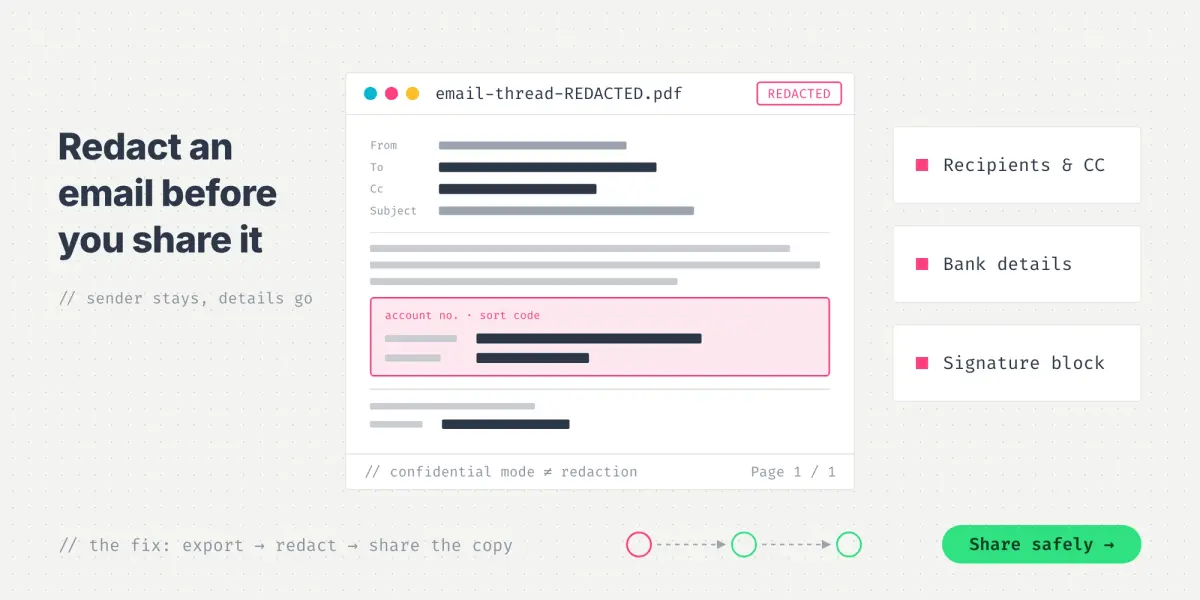
- Emails: messages, attachments, and archived correspondence, which may later be produced as a redacted email.
- Messengers: Teams, WhatsApp, SMS, and other communication tools.
- Documents and shared files: contracts, spreadsheets, presentations, and reports stored on laptops, shared cloud drives, Google Drive, and so on.
- Financial records: invoices, payment records, orders, and transaction histories.
- Databases: CRM, accounting, customer support systems, and so on.
- Devices: computers, phones, tablets, and so on.
- Backups: copies that may be the only source of information.
- Metadata: modification dates, edit history, and so on.
What Should a Litigation Hold Notice Include?
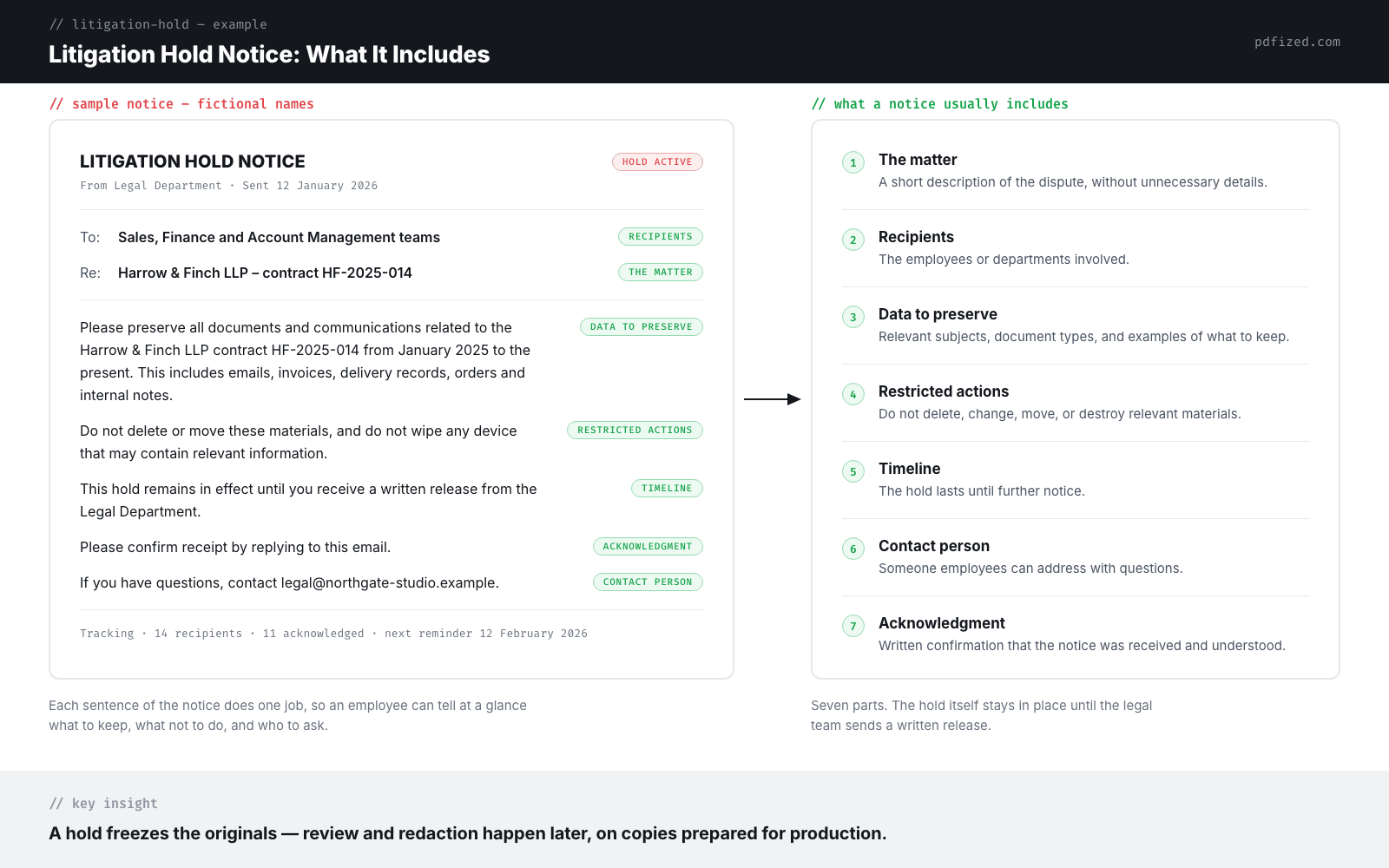
A notice will usually include the following:
- The matter: a short description of the dispute without unnecessary details.
- Recipients: the employees or departments involved.
- Data to preserve: relevant subjects, document types, and examples of information to keep.
- A scope of restricted actions: instructions not to delete, change, move, or destroy relevant materials.
- Timeline: a statement that the hold lasts until further notice.
- A contact person: someone employees can address with questions.
- An acknowledgment: a request to confirm in writing that the employee has received and understood the notice.
Producing documents under a litigation hold?
Redact a copy with PDFized: sensitive details are removed permanently and the originals stay untouched – free to start.
Litigation Hold Letter Example
“Please preserve all documents and communications related to the [company name] contract [number] from January 2025 to the present. This includes emails, invoices, delivery records, orders and internal notes. Do not delete or move these materials, and do not wipe any device that may contain relevant information.
This hold remains in effect until you receive a written release from the Legal Department. Please confirm receipt by replying to this email. If you have questions, contact [legal department email].”
How to Implement a Litigation Hold: A Short Step-by-Step Guide
Here are ten steps to put a litigation hold in place, from the first trigger to the release.
1. Identify the trigger
Check when litigation became reasonably foreseeable and why. This time and date will matter if, in court later, you face the need to explain what the company’s first actions were.
2. Define the scope of the case
Identify all existing issues in dispute. Consider checking relevant date ranges and types of information that may be needed. Consult people who understand the process.
3. Identify data sources
List all the employees who may be holders of sensitive information relevant to the case. Check which systems, such as databases, platforms, and shared drives, are involved.
4. Issue the notice
Send written instructions to each party and stakeholder. Explain what must be preserved and which actions are prohibited.
5. Stop automatic deletion
An IT department should pause relevant auto-delete rules for internal systems. For example, device wipes, backup rotation, and so on.
6. Collect confirmations
Track who has confirmed that they received and understood the notice. Follow up with anyone who has not responded.
7. Send reminders
If you are dealing with a long-running case, it may last for months or even years. Regular reminders help employees understand that the hold is still active.
8. Handle employee departures
All relevant mailboxes, files, drives, and devices must be secured before an employee departs.
9. Document the process
Keep records of notices, reminders, acknowledgments, and all IT actions. This will help you see what steps the company took to preserve information.
10. Release the hold
When the matter is resolved and all proceedings are finished, you should issue a written release and inform everybody.
Actions After Breaking a Litigation Hold
The main idea of issuing a litigation hold is to prevent information loss.
So, according to the practice of U.S. federal courts and Federal Rule of Civil Procedure 37, the loss of electronically stored information is the responsibility of a company.
This rule applies when information that should have been preserved is lost because a party failed to take reasonable steps to protect it.
If the information cannot be restored or replaced from another source, the responsibility lies with the company.
You should know that the court’s response will depend on the circumstances, of course.
If the loss, for example, prejudices the other party, the court may order measures no greater than necessary to address that prejudice. This may include additional discovery or limits on the evidence a party can use in court.
If the court finds that information was lost with the intent to prevent the other side from using it, the consequences can be much more serious. For example, the court may presume that the lost information was unfavorable to the company, or even dismiss the case.
The Process of a Litigation Hold: Where Document Redaction Comes In
The process of litigation hold includes five main stages.
1. Preservation
The litigation hold is put in place to prevent relevant information from being deleted or changed.
2. Collection
The party gathers records from the relevant departments and employees.
3. Reviewing
This stage includes checking the materials for relevance and confidential information.
4. Redaction
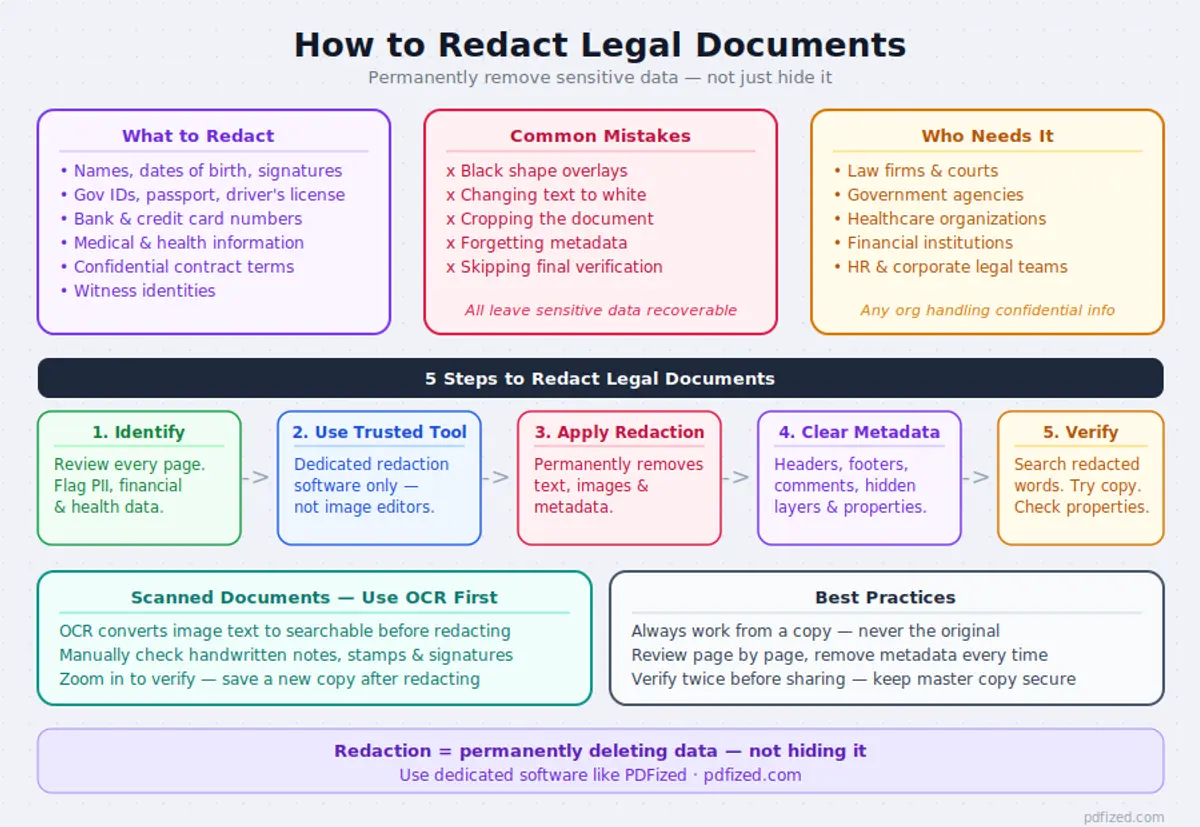
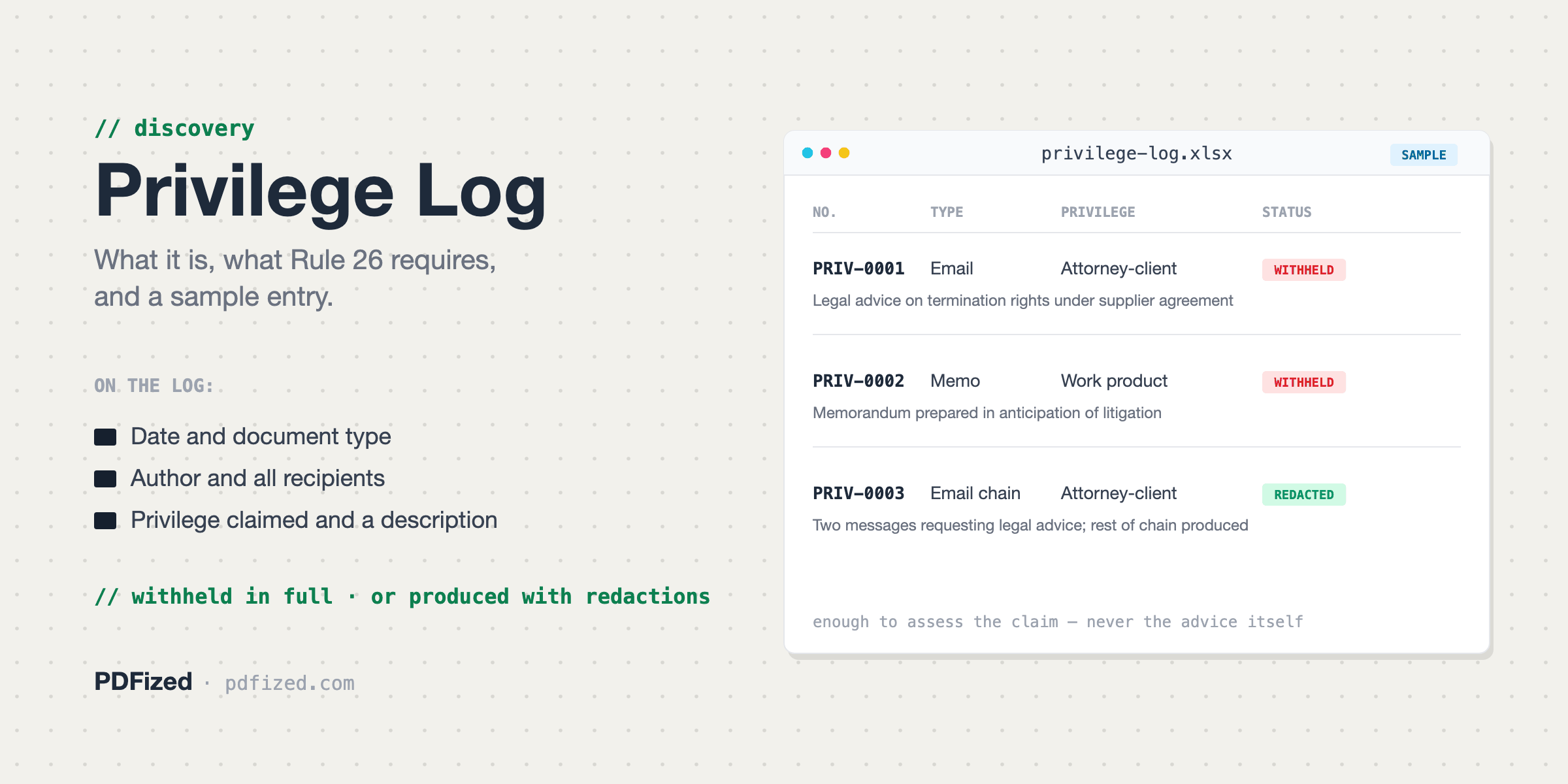
Removing information that should not be disclosed to anyone. Anything removed as privileged is recorded in a privilege log.
5. Producing
The reviewed documents are provided to the stakeholders.
What If Privileged Information Gets Lost or Exposed?
Accidentally providing sensitive or privileged materials can become a big issue. This process is called an inadvertent disclosure.
According to Federal Rule of Evidence 502(b), an inadvertent disclosure doesn’t waive privilege if it was unintentional, reasonable steps were taken to prevent it, and the party promptly took reasonable steps to correct the mistake.
But redaction of legal documents in this case must be done properly.
Because if, for example, one just places a black box over the text in a PDF file without removing the text itself, the hidden content might still be copied or extracted without any problem.
A legal redaction tool such as PDFized can help identify names, account numbers, metadata, and other sensitive details and help permanently remove the selected content from a PDF rather than simply covering it.
Litigation Hold Best Practices
A workable litigation hold depends on the type of instructions and the quality of follow-up.
To succeed in this process, a company should take several obligatory actions that include:
- Issuing the hold as soon as possible.
- Using short notices with practical examples for employees.
- Stopping automatic deletion of information.
- Tracking acknowledgments and sending reminders.
- Preserving data when employees depart from the company.
- Planning document review and redaction before production begins, with clear redaction rules.
- Keeping a record of preservation actions.
// faq
FAQ
Actually, there is no difference because these are all names for the same process.
It remains in place while the legal matter requires the information to be preserved. Only the legal team should decide when the hold can be finished.
Usually, it is issued by the legal department or outside legal counsel with support from the company’s IT team.
Yes. The original documents must remain unchanged, and redactions should be performed only on copies prepared for review. This protects sensitive information without any potential threats.