Blog: Tips and Tricks

Explore our blog for simple tips on PDF redaction, safeguarding sensitive information, and keeping your documents secure. Stay updated with the expert how-to guides and more.

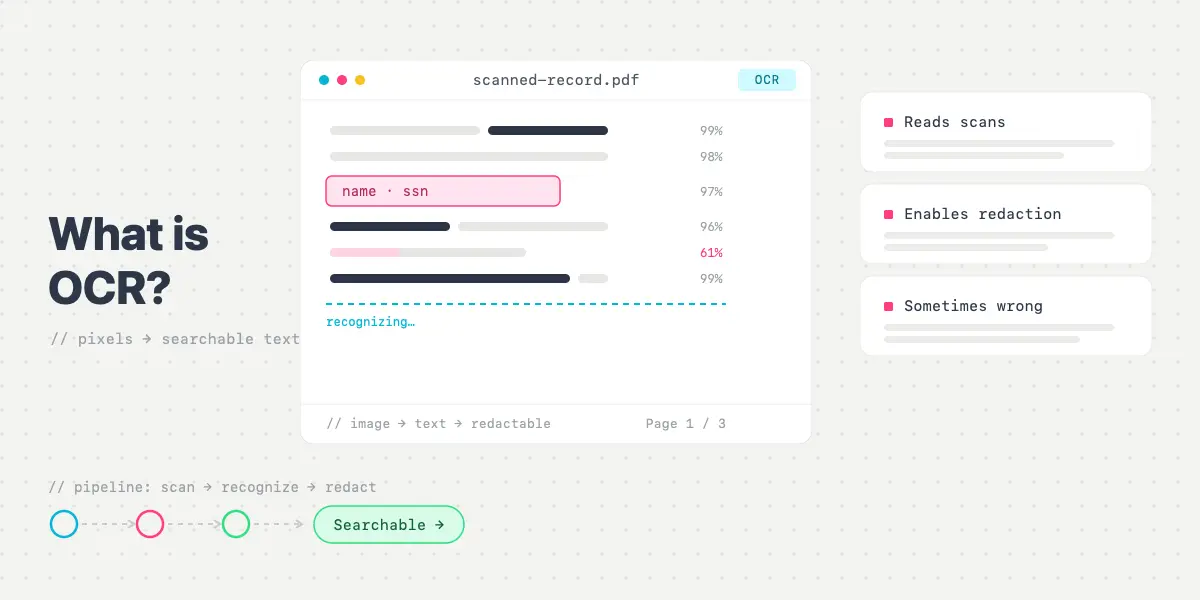
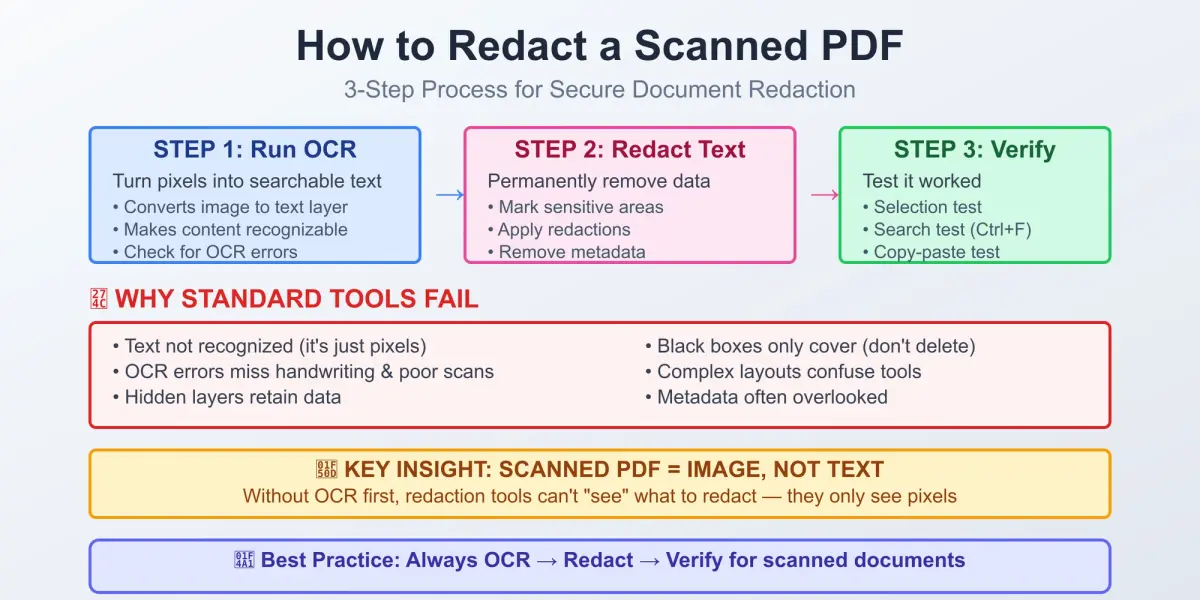
How to Redact a Scanned PDF

When it comes to redacting, you may probably think the process is all about drawing black boxes. Wrong! The process is about making sure that all the data underneath those boxes is gone. Like, really gone. If you’ve got a scanned PDF doc in your hands, we must admit that the process gets a bit more “cloak and dagger.” But worry not! We are here to provide you with a quick yet comprehensive guide helping our users navigate the tricky waters of scanned document security and, what is more important, stay sane along the way.
Read Article
White Out PDF Text Tutorial

How to White Out Text in a PDF: A Complete Guide (2026)

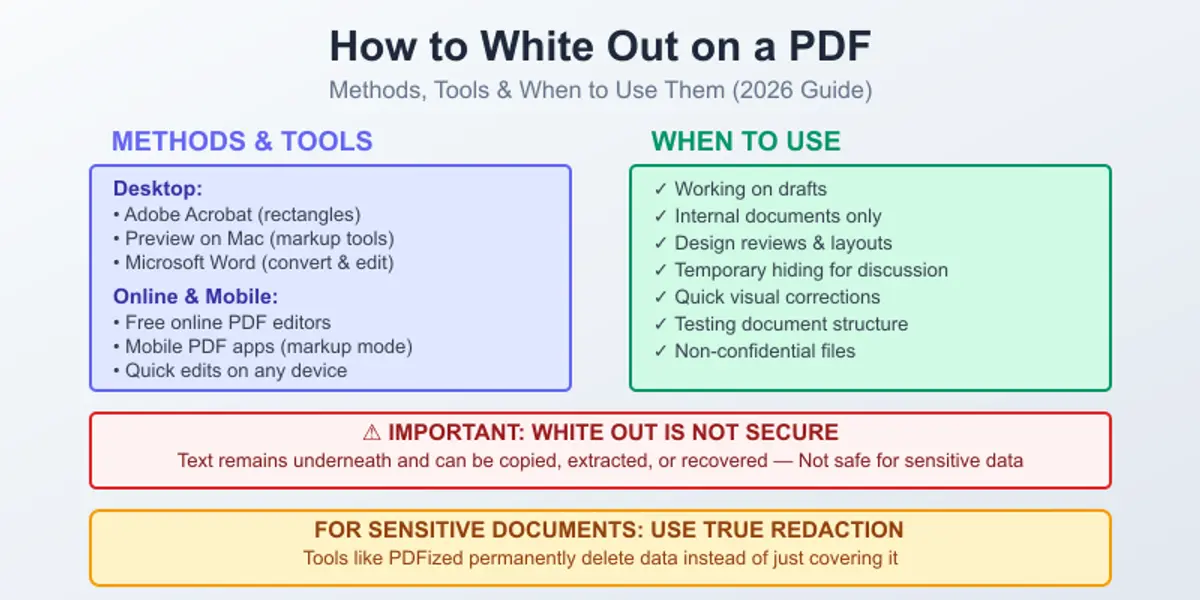
Imagine you open a PDF and see a sentence, a number, a price, or a name you don't want to show anymore. Of course, you want to choose a simple way to just cover it with a black box or white out text in a PDF. It sounds very easy and fast, but the thing is that in PDFs, covering with black boxes or whitening out doesn't always mean what people think it means.

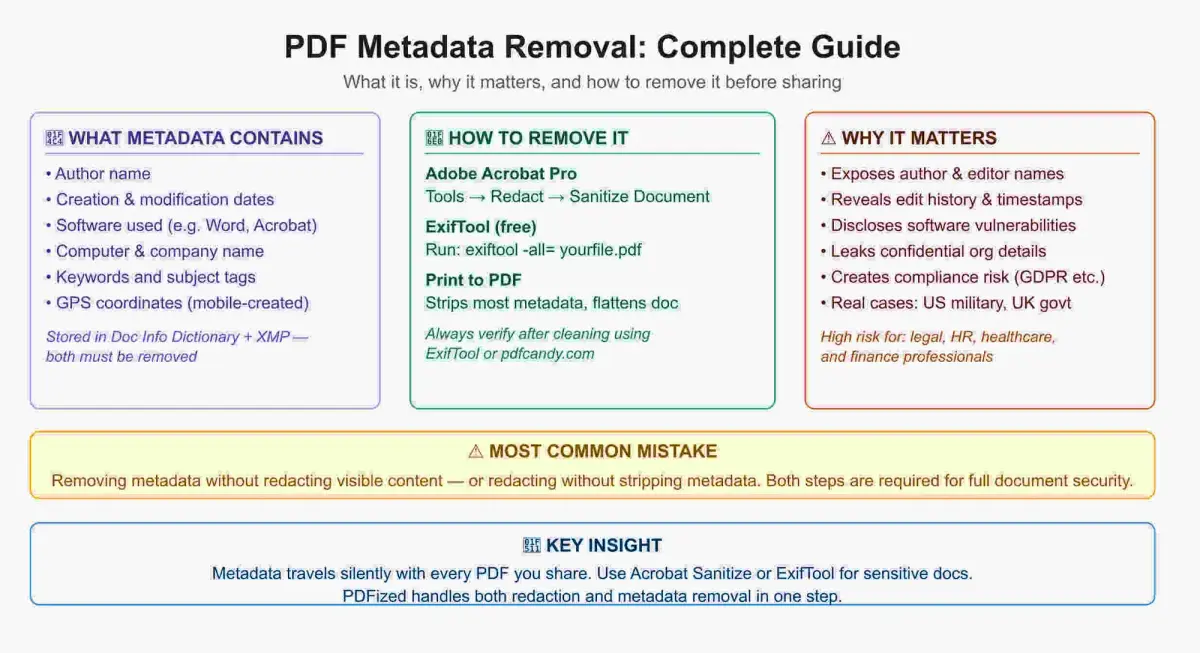
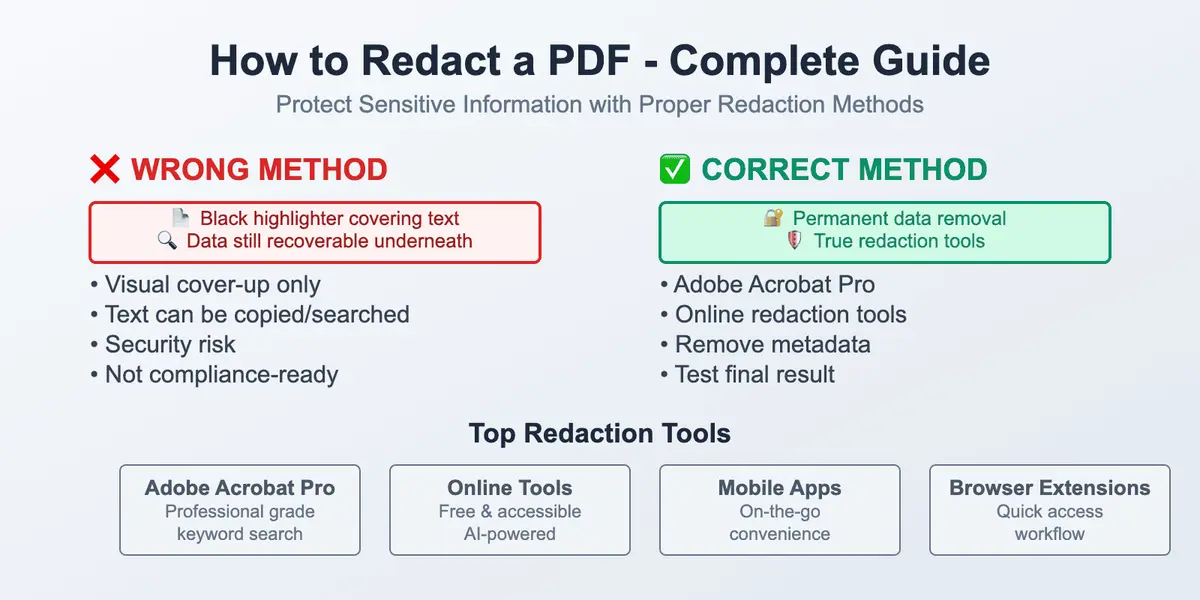
Many white-out methods only cover the content visually. The text might still exist underneath, so even if you can't see it anymore, it's still there and anyone can copy it. Depending on the situation, this difference can be completely fine, but often it becomes a problem.

In our guide, we're going to explain what white-outing really means inside a PDF, how to white out text in a PDF across different devices, and when it can be acceptable. We will also talk about when whitening out should be replaced by a more secure PDF anonymizing method.

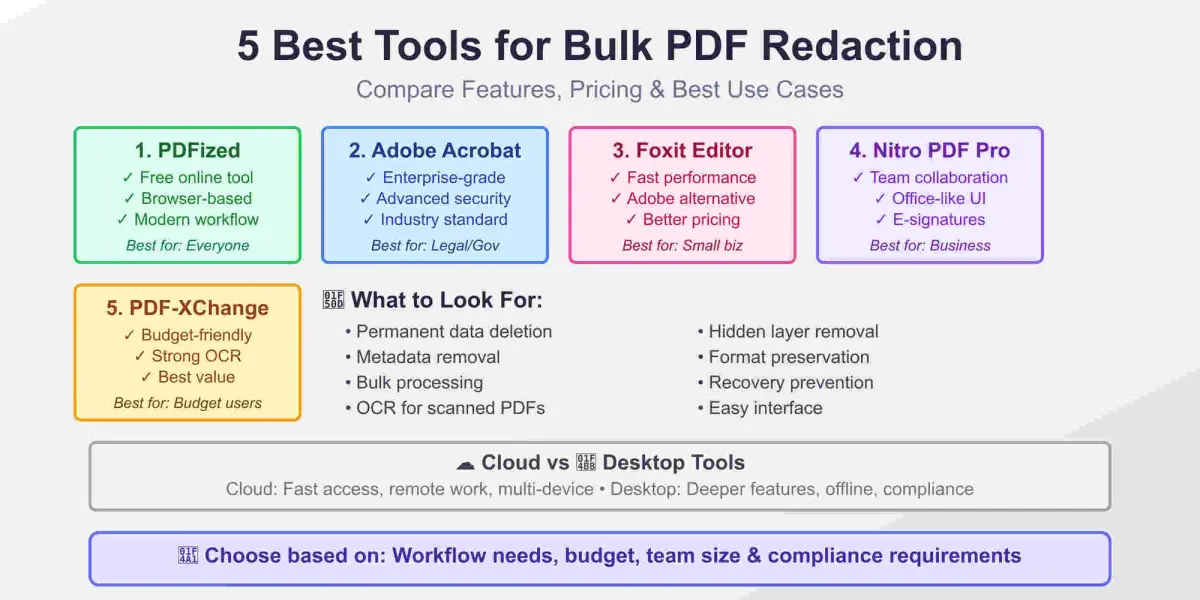
To white out text in a PDF, you can use Adobe Acrobat, Preview on Mac, Microsoft Word, or a free online editor – but keep in mind that most methods only hide text visually and do not permanently remove it from the file.

AI Redaction Safety

Is AI Redaction Safe for Sensitive Documents?

AI is currently transforming document workflows in all industries, from medicine to banking. Automated contract analysis, intelligent summarization, research, and so on have transformed these workflows.

Redaction is one of the important stages. This process of permanently removing sensitive information from documents becomes critical for organizations that strive to maintain trust and compliance. When it comes to confidential files, the question becomes even more serious.

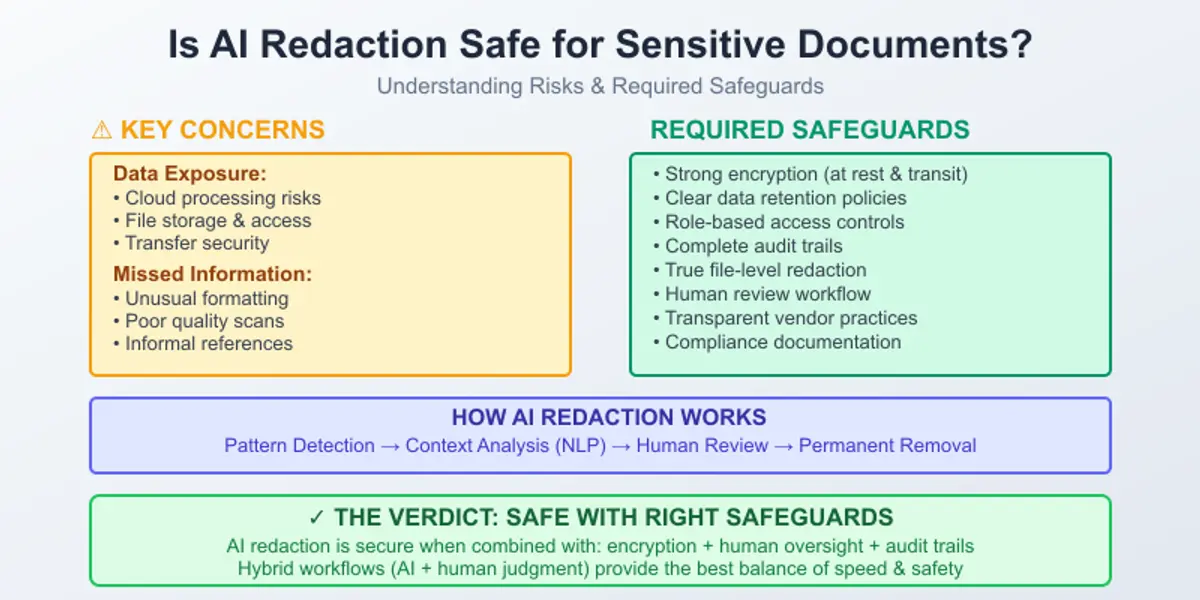
Is AI redaction actually safe for sensitive documents? AI redaction is safe for sensitive documents when implemented with strong encryption, access controls, audit trails, and a human review layer – but it carries real risks when used without proper governance.

To answer this question, we’ll analyze why this question matters, what concerns are behind automation, compliance risks, and how it works in practice. Read on to find out how to implement AI redaction correctly into your workflow and integrate it into a responsible review process.

Redaction Failures

What Happens If Redaction Fails?

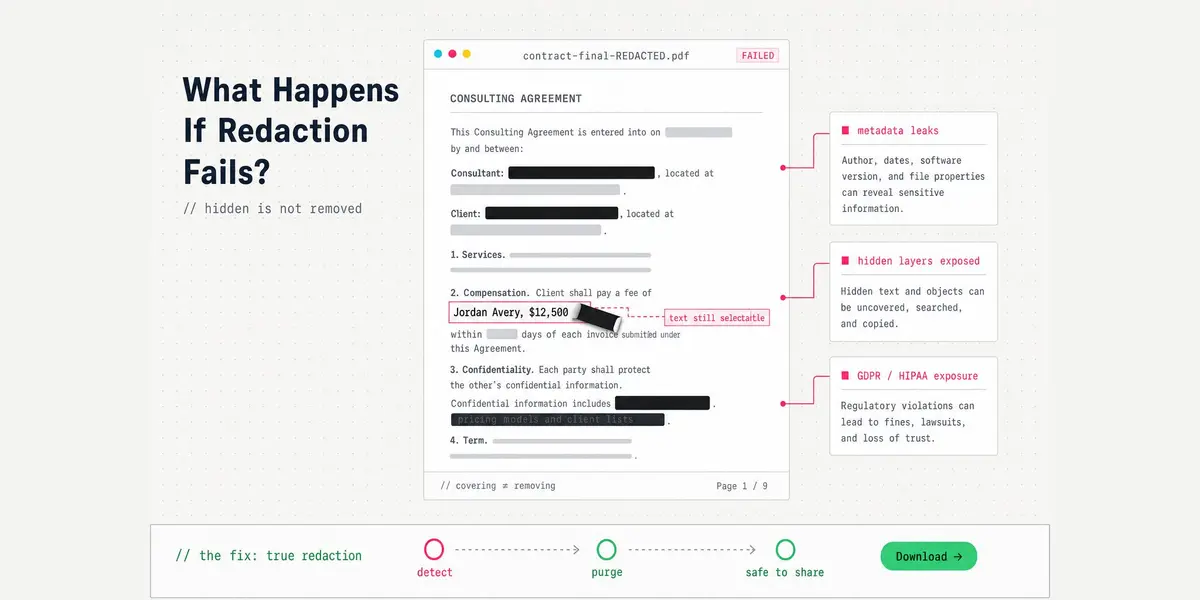
PDFs that contain sensitive information require proper redaction. It feels simple at first sight: take a PDF, black out a few lines, remove names, numbers, addresses, and so on, and safely send it to a client, a colleague, or anyone else. But that’s exactly the moment where something can become risky.

The danger of improper redaction is not that the information would be easy to see on screen. The main problem is that the information is still there. It’s hidden in the document structure, and it can be accidentally recovered.

In our guide, we’ll break down what happens if redaction fails, what a redaction failure really means, how it happens, and why it’s so widespread.

Handling Confidential Information in Workplace

How to Handle Confidential Information in the Workplace

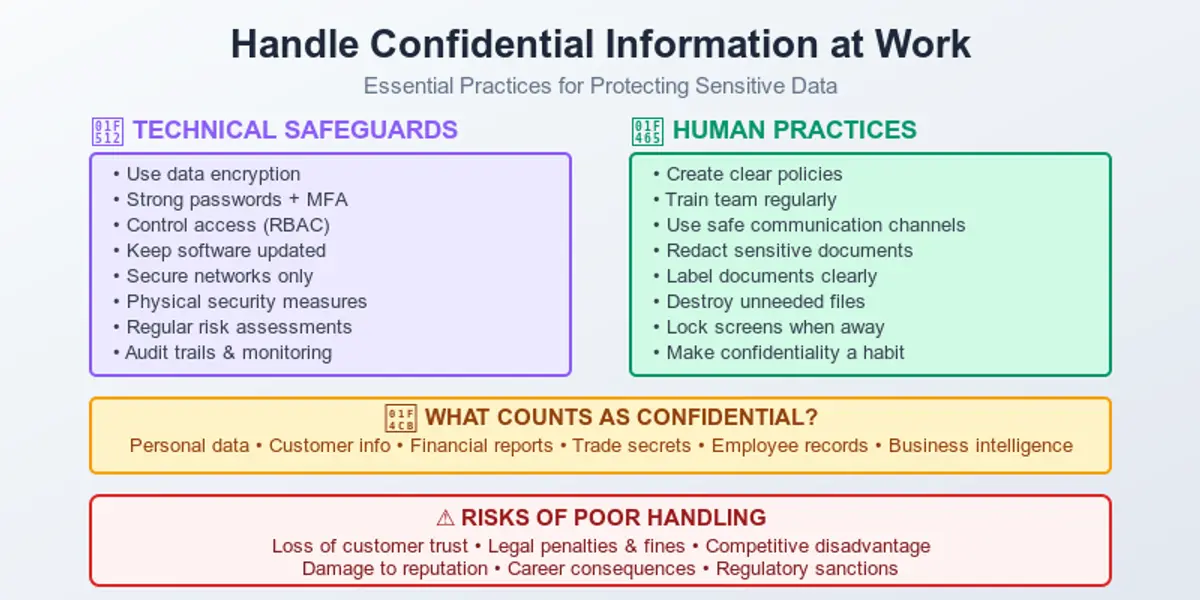
Whatever niche you’re engaged in, your workplace 100% runs on information. But the reality is that not all data is meant to be shared. From customer records and financial reports to employee details and trade secrets, confidential information is the quiet engine behind trust, reputation, and legal compliance. Handle it well, and no one notices. But if you fail and do it poorly, and suddenly everyone does. Below, we’ll have a talk on how to handle confidential information in the workplace because, well, oops is a very bad strategy.

But before we dive in…

Redacted Epstein Files

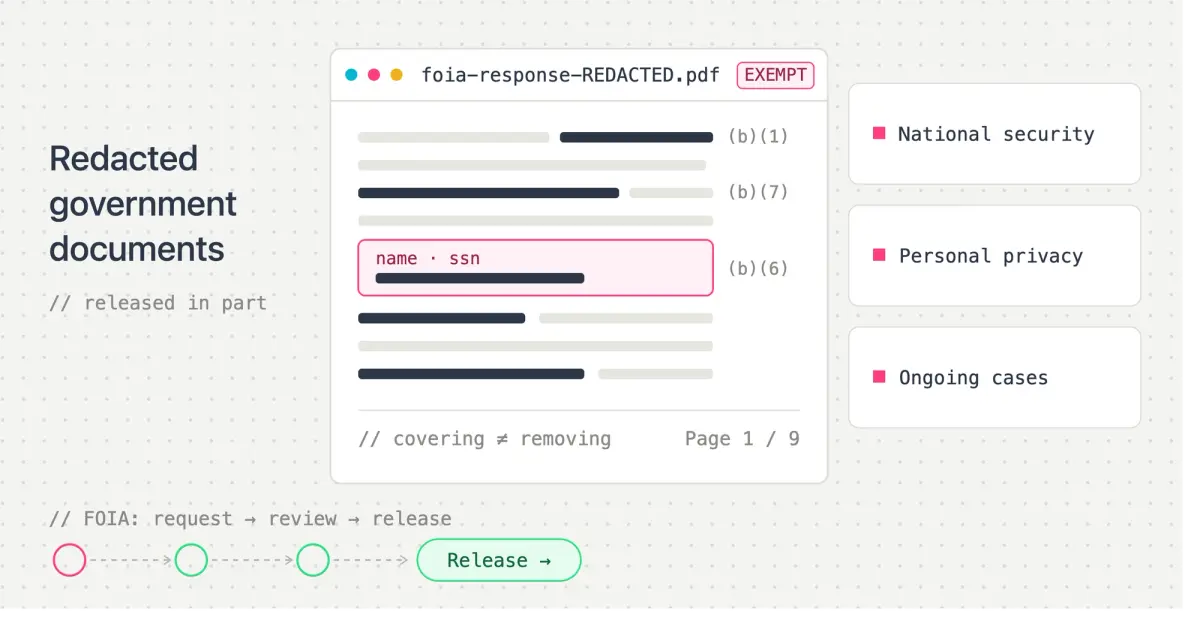
Redacted Epstein Files: What Went Wrong in December 2025

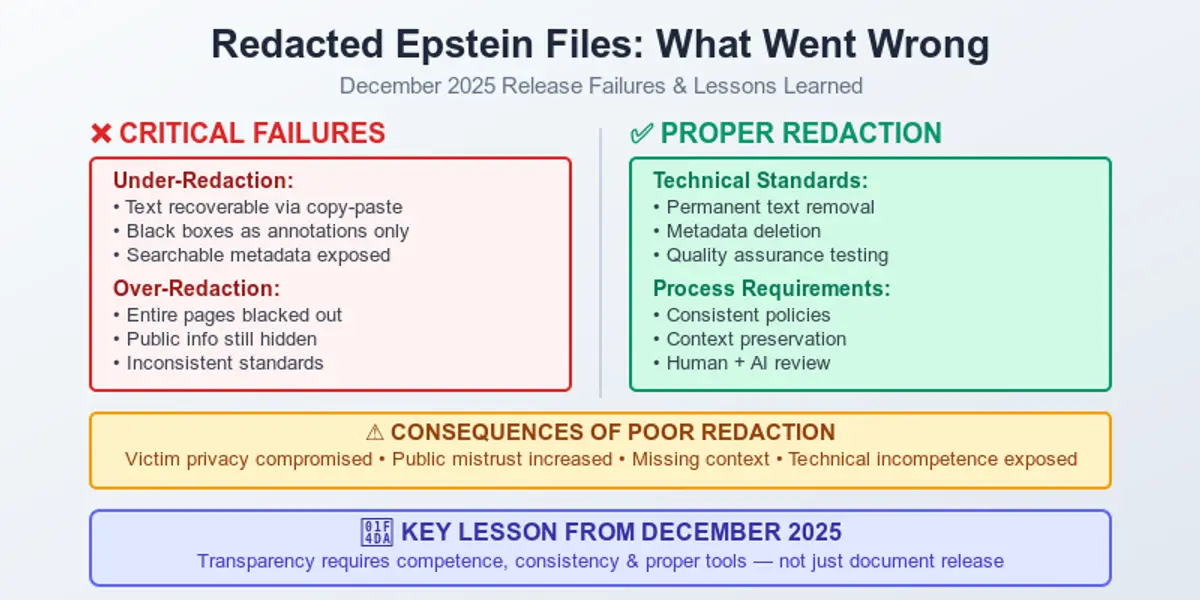
If we’re asked to name the most scrutinized criminal cases in modern times, the name of Jeffrey Epstein immediately pops up in our minds. The release of the redacted Epstein files that took place in 2025 was supposed to make things clearer and more accountable. But a bit of a different reality kicked in with a dose of confusion, controversy, and…mistrust. While a lot of people were sure the number of questions would become less grandiose, the truth is that the release raised even more new ones. Questions about technical competence and transparency are heard here and there. Besides, everybody is especially interested in whether the redaction itself was used to protect privacy or to obscure the truth.

Below, we’ll try to understand what exactly failed, how the redacted files were handled, and what the episode reveals about the risks of poorly executed document disclosure.

Rules for Redacting Documents

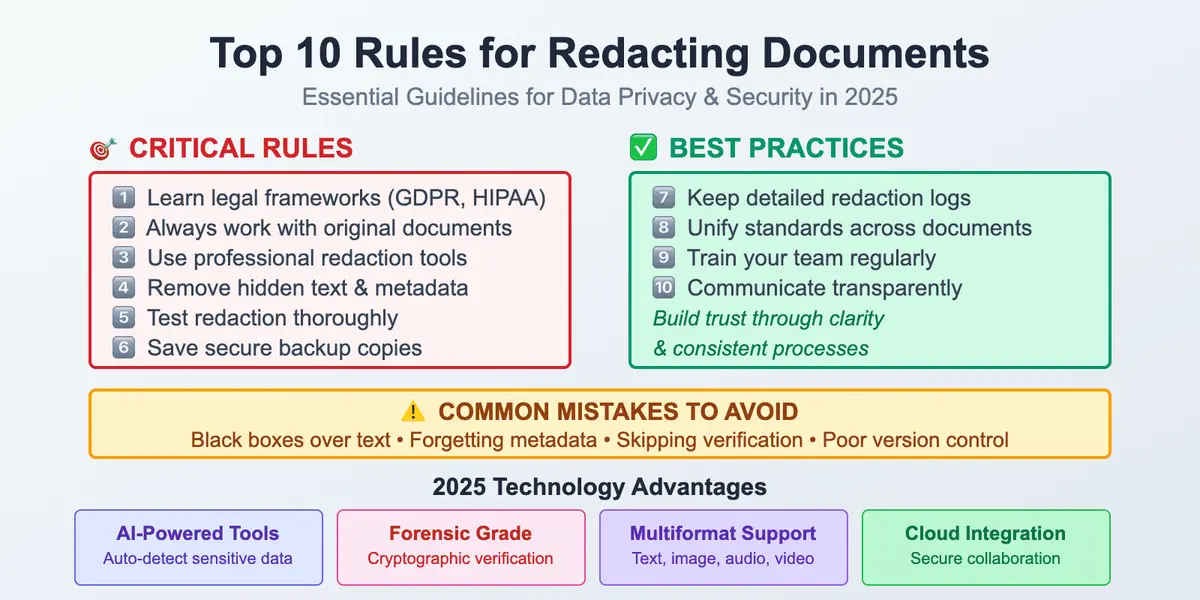
Top 10 Rules for Redacting Documents in 2026

Nowadays, working with information is a very responsible task. Our modern world is hyper-connected, so data privacy is tightly bound to document redaction. It’s no longer an option; it often becomes a legal necessity. Every professional who deals with different types of data must follow privacy regulations to protect sensitive files from leaking and to avoid problems.
PII

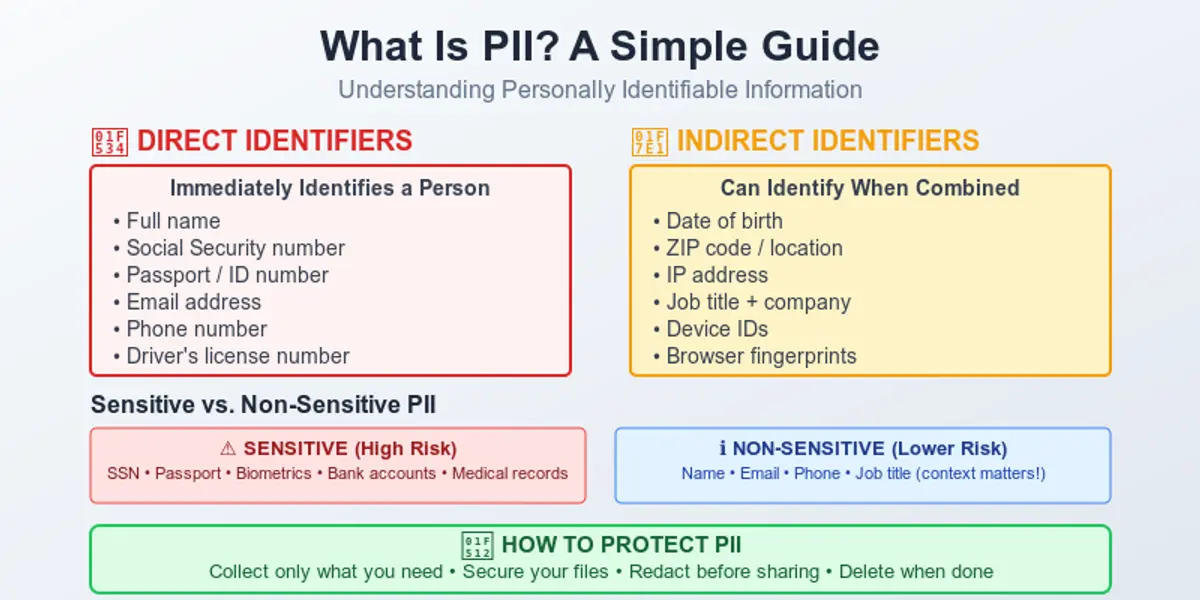
What Is PII? A Human Guide to Personally Identifiable Information

If you are reading this article, it means that maybe you already know something about how information about personally identifiable information is usually presented to people.

Most guides on the Internet are too complicated and seem like they were written by lawyers, using very specific terminology. This is hard to understand if you are not a professional in this field. The overload of text makes reading about PII very difficult, because even after you finish, you still don’t really understand what actually counts as personally identifiable information in real life. Our human guide has a different goal.

Data Security Best Practices

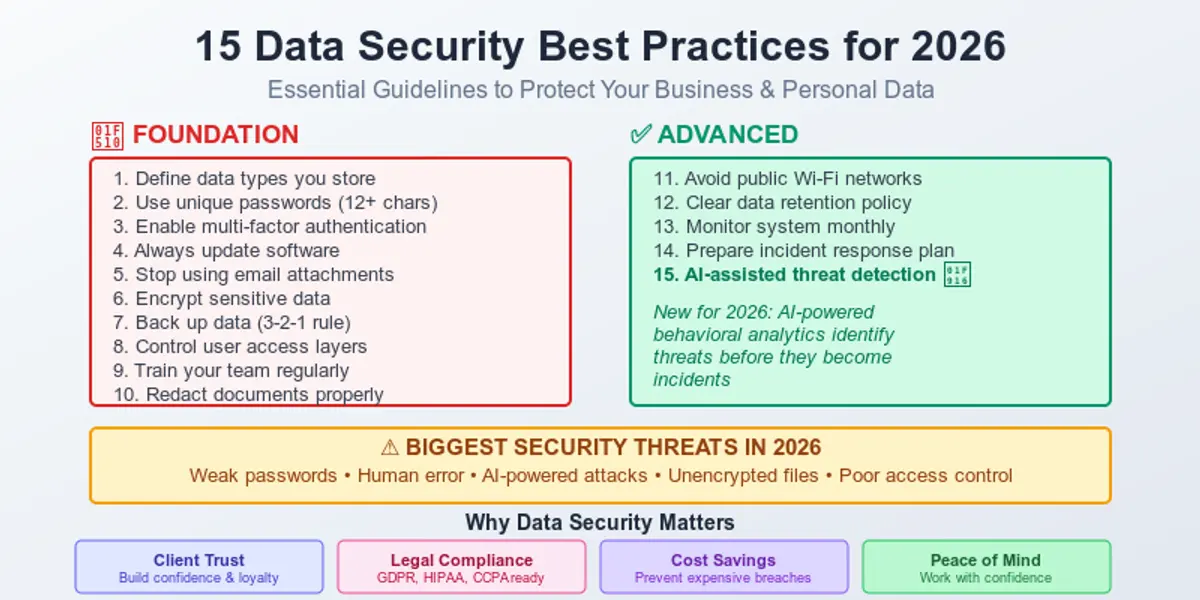
Data Security Best Practices: A Friendly Guide for 2026

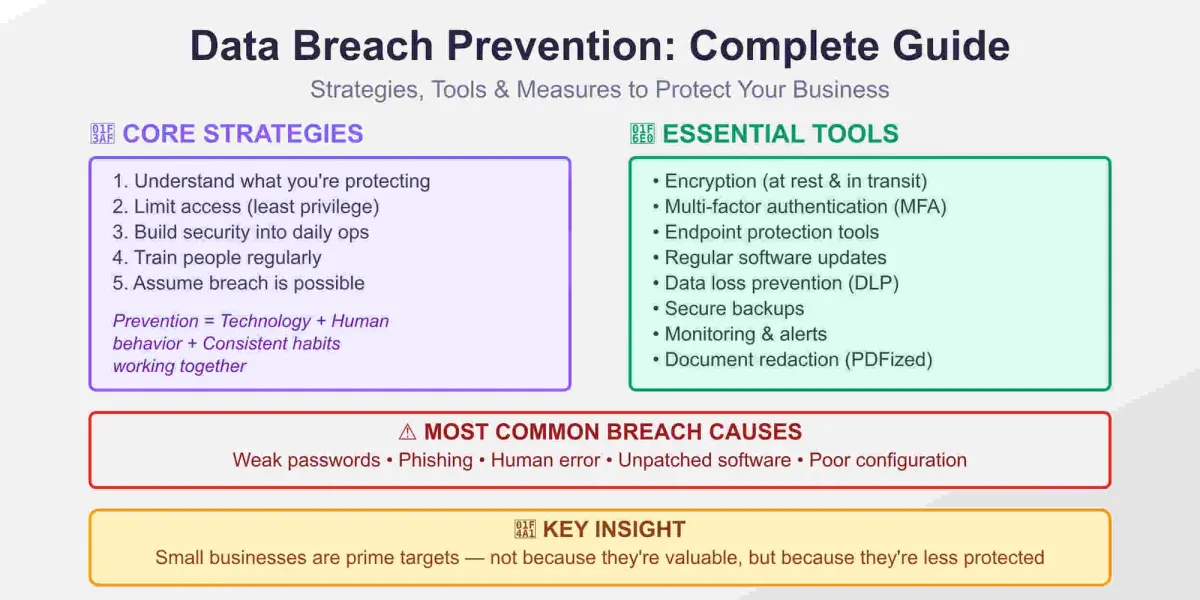
Nowadays, data security isn’t something only for big companies or people who work in the IT industry. Today, it’s the center of every digital action one takes, from sending emails, booking clients, communicating with your team, storing documents, and so on.

If you’re a freelancer, a small business owner, a manager who works with sensitive client details, or if you simply use your laptop or iPhone daily, data security is your job.

The good news is that this process doesn’t have to be problematic or stressful.

Technically, when you break data security down into clear habits, it becomes a natural part of your workflow. Just like you check your emails daily.

Our guide will provide you with information about the best data security practices for 2026.

How to Redact a PDF

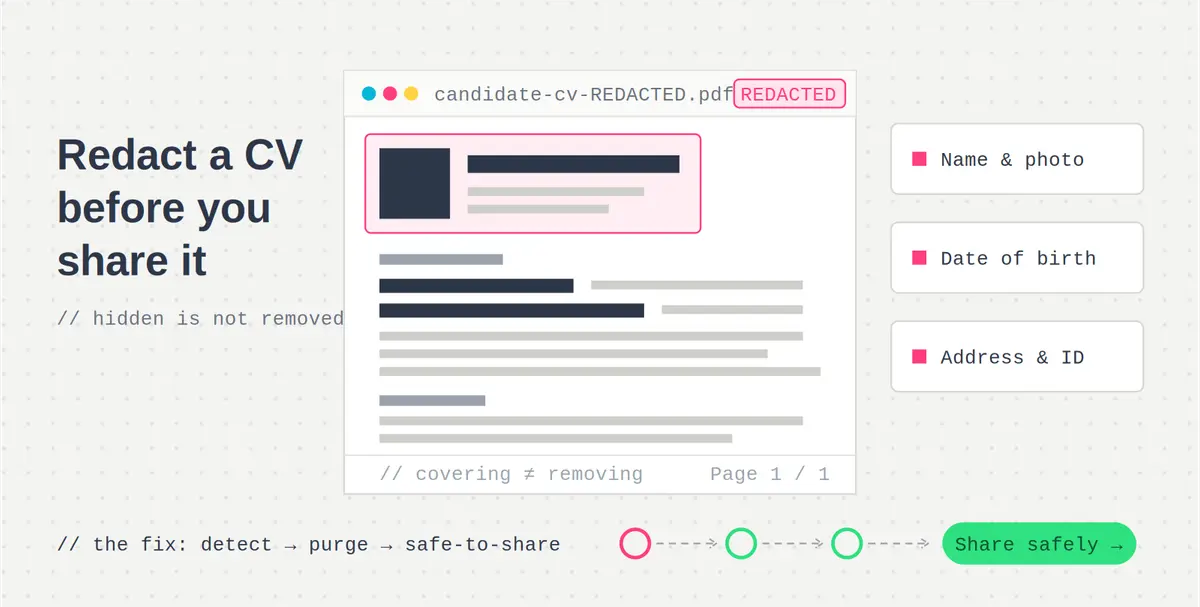
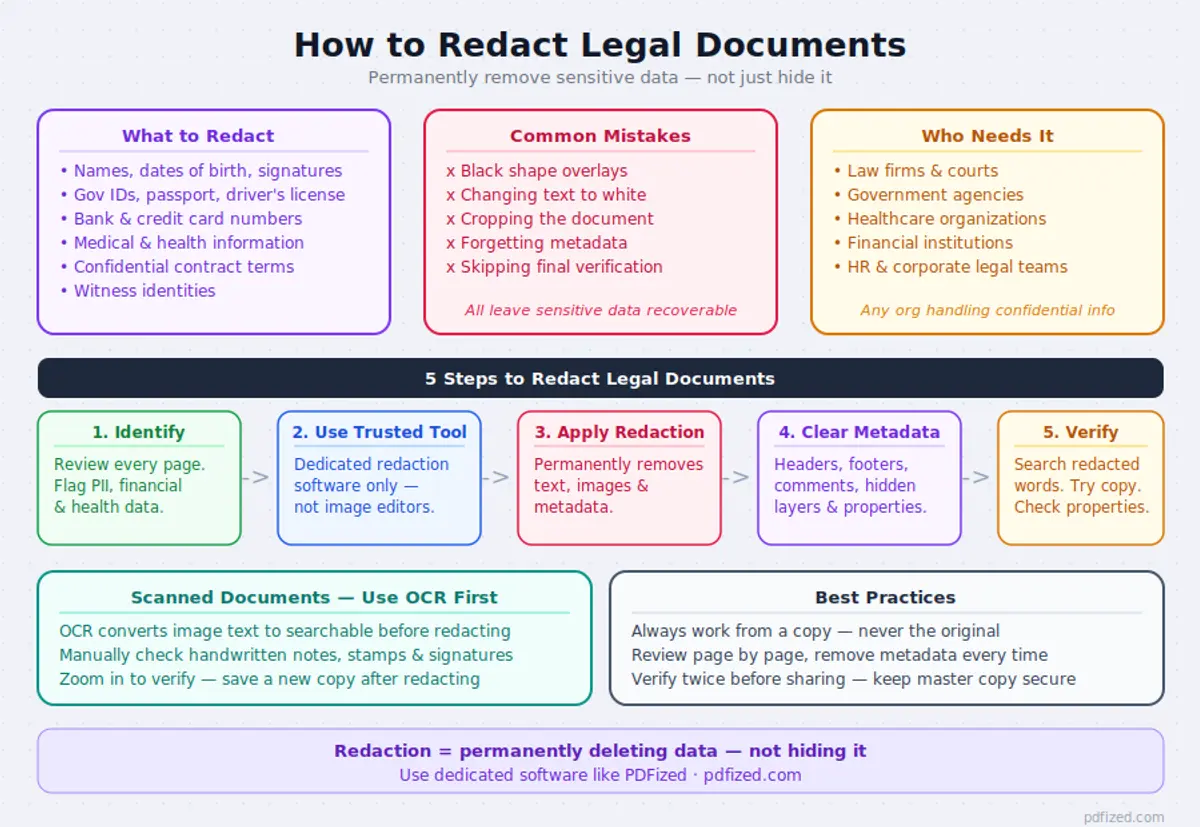
How to Redact a PDF Properly (Step-by-Step Guide)

Learn how to properly redact sensitive information in PDF files using web, mobile, and desktop tools. This practical guide explains proven PDF redaction methods that help protect confidential data and prevent accidental information leaks, with reliable anonymization tools and actionable tips.

Imagine you are about to send a PDF file (or several of them). Everything looks ready for sharing – but the document still contains sensitive information that cannot be disclosed, such as client data or personal contact details.

In situations like this, proper document redaction becomes essential. Do you know how to redact a PDF correctly? And what does it actually mean to redact a signed PDF?

To redact a PDF properly, use a dedicated redaction tool like Adobe Acrobat Pro or an automated redaction system – these permanently remove sensitive data from the file structure, unlike black boxes or white overlays which only hide content visually.

This guide is designed for professionals who regularly work with sensitive documents (including lawyers, business owners, startup managers and educators) and explains what PDF redaction is, why it matters, and how to anonymize documents securely while avoiding common mistakes.

Personal Data Protection

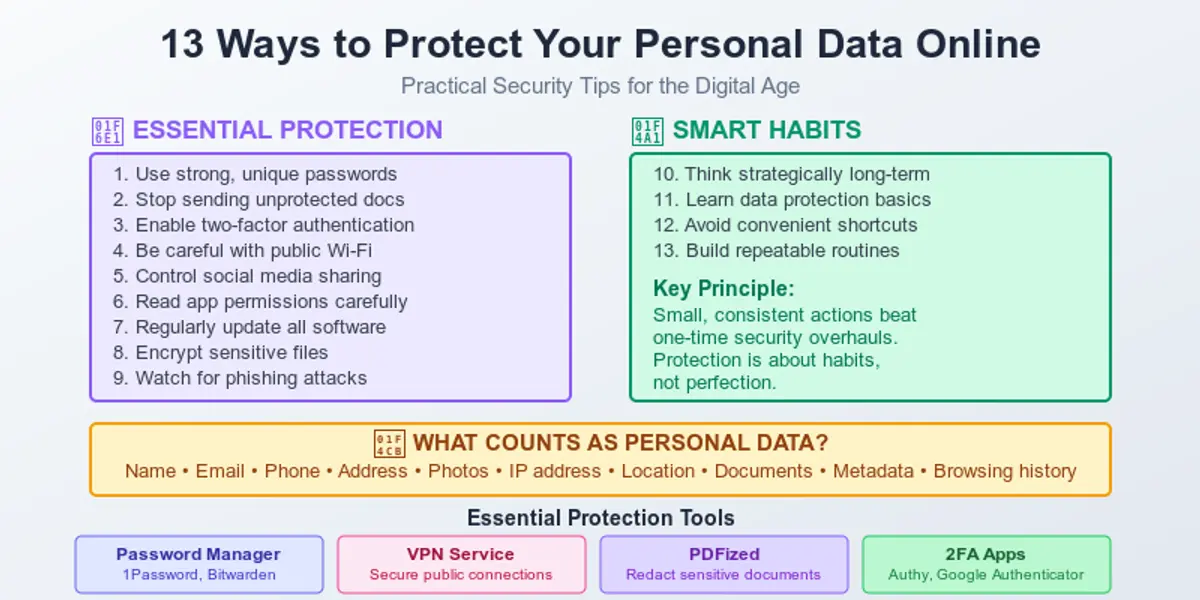
How to Protect Your Personal Data Online

The world we live in constantly collects information about us. In recent years, billions of personal records have been exposed in global data breaches, making online privacy a real concern for individuals, not just companies. That’s why having a practical, human-level guide on how to stay safe in such a situation is a must.

Understanding how to protect your personal data online is no longer optional – it’s a basic skill in everyday digital life. Most people ignore data protection until a hacked email, leaked document, or stolen account makes it impossible to ignore.

AI-Powered Redaction vs. Manual

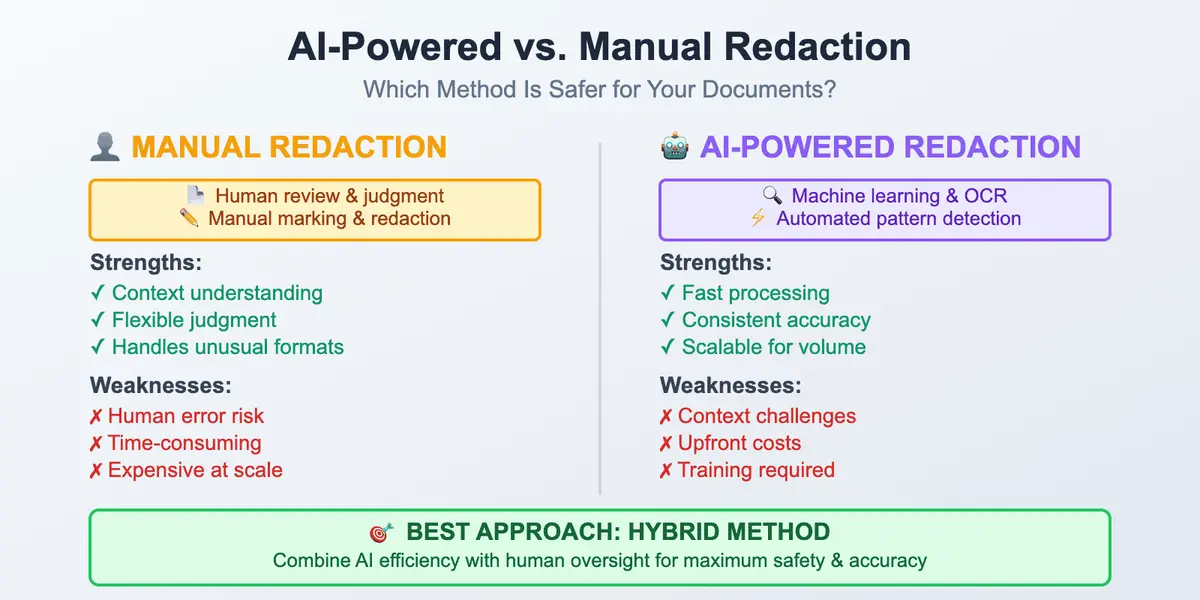
AI-Powered Redaction vs. Manual Redaction: What’s Safer?

Documents, images, audio, video, and other forms of data are in the center of attention in our modern world, as well as the task of redacting sensitive information within these files.

It doesn’t matter what industry you work or study in: legal, healthcare, finance, government, and so on. All specific information must be properly protected. Confidential elements in your documents must be safe from disclosure, and it’s obligatory for all parties to maintain privacy at a high level. Otherwise, this may lead to serious reputational issues.

For a long time, companies and individuals have relied on manual redaction. Reviewing documents, marking up sensitive content, and blacking it out with black boxes were at the heart of the process.

Document Security

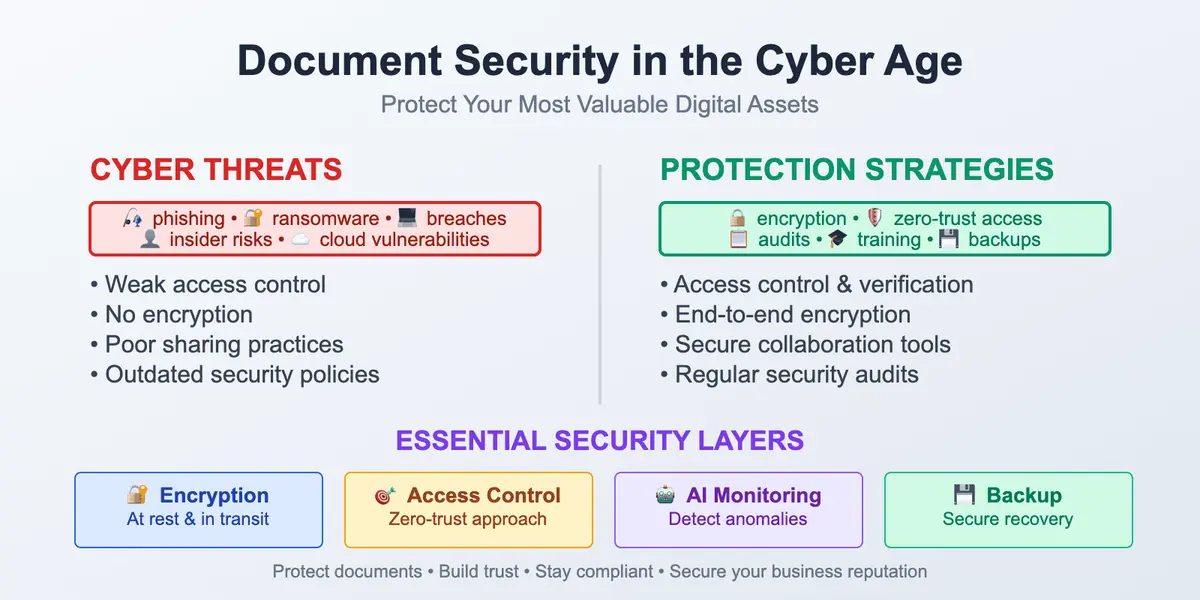
Document Security in the Age of Cyber Threats

Just several years ago, each speech about cybersecurity felt like something fantastic. We imagined people in dark hoodies, green code from the movies running down the screen, government organizations chasing criminals, and so on. At the time, most businesses weren't thinking about document security at all. However, for the average business or individual, it all seemed very far away. Now, just a decade forward, we're witnessing data leaks happening weekly, software attacks, and many important institutions shutting down, including airports and hospitals. Leaks of internal documents can destroy the reputations of big companies, among others. According to recent industry reports, data breaches now cost businesses millions annually, with sensitive documents among the most frequently exposed assets.
Automating Redaction

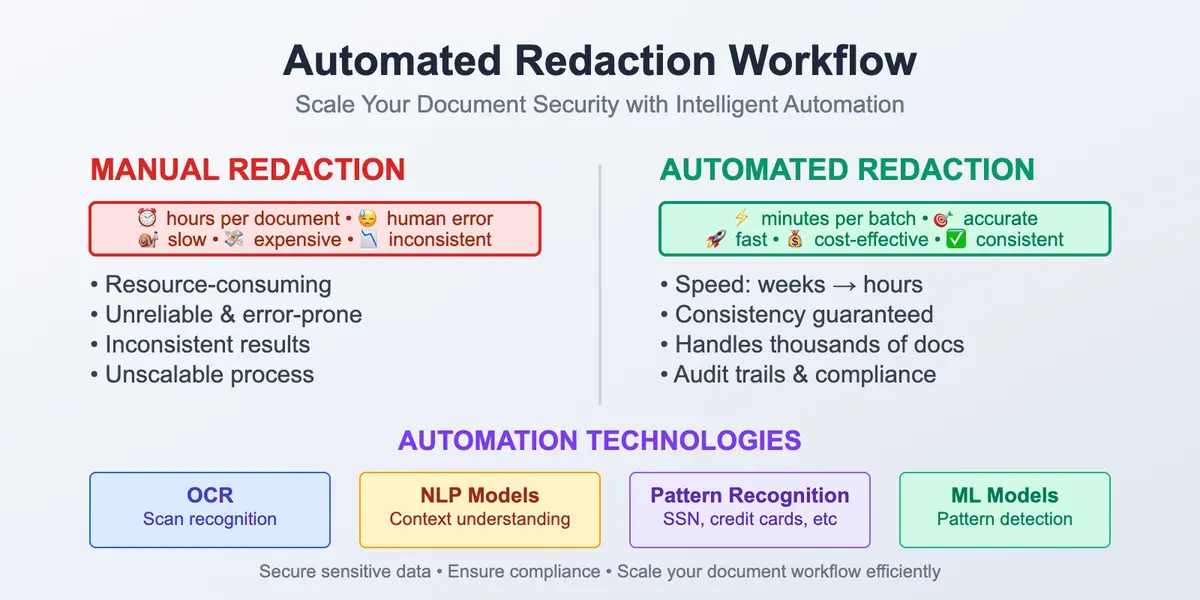
Automating Redaction in Large-Scale Document Workflows

Documents are an important part of any process in our life. It's impossible to imagine modern workflow without a useful PDF format. Countless advantages of such types of files are carrying some potential risks and issues.
Sensitive Data Protection

Sensitive Data Protection: Everything You Need to Know

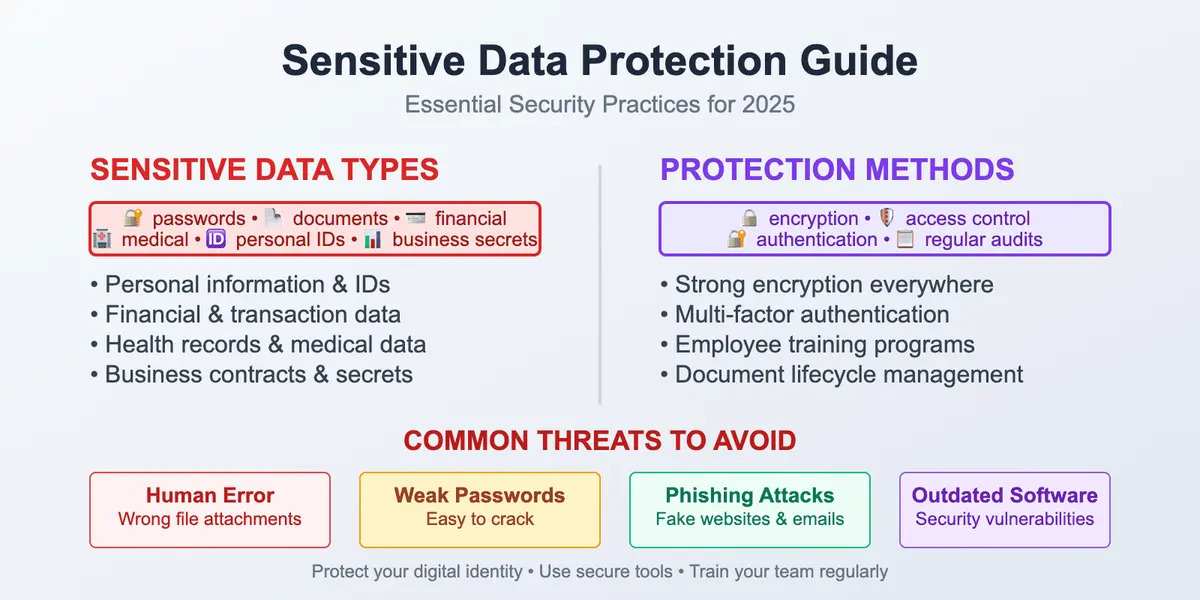
We live in a world where the words "sensitive data" are no longer associated only with government institutions, banks, or large corporations. Nowadays, every person who has ever filled out an online form, uploaded a scan of their ID, or sent a contract via email deals with sensitive information. In fact, we handle this type of data every single day. Once you share anything online, you automatically take on the responsibility of keeping it safe from misuse.

Sensitive data protection may sound like just a phrase, but it's really about something much bigger. Businesses must earn and maintain the trust of their customers. Customers and services must also be connected through trust. The entire digital world will be ruined without reliance.

Our article will explore what sensitive data actually is and what you can do to protect it from risks daily, whether you're a business or an individual. Learning how to protect sensitive information is essential for staying safe in today's digital environment.

How to Annotate a PDF

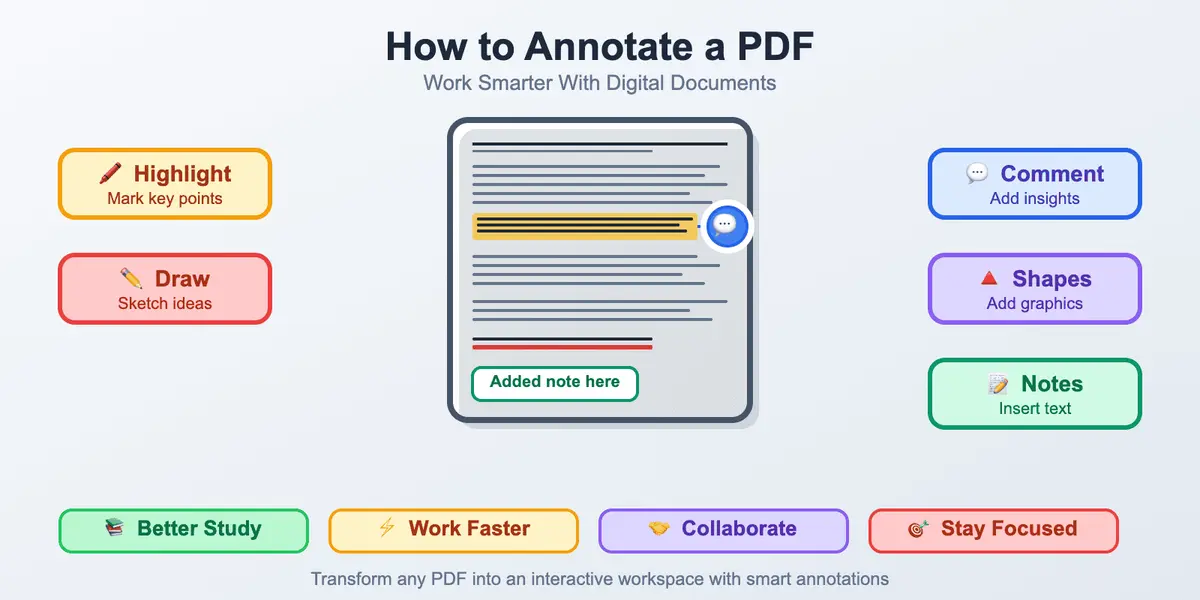
How to Annotate a PDF: A Practical Guide for Real-Life Work and Study

PDFs are widespread, so learning how to annotate them becomes a crucial skill for students, researchers, and professionals in any field. Annotating PDFs is the best way to highlight your ideas, keep your thoughts organized, and engage other parties in discussion. Our guide explains what the PDF annotation is and why it matters.
Synthetic Identity Fraud

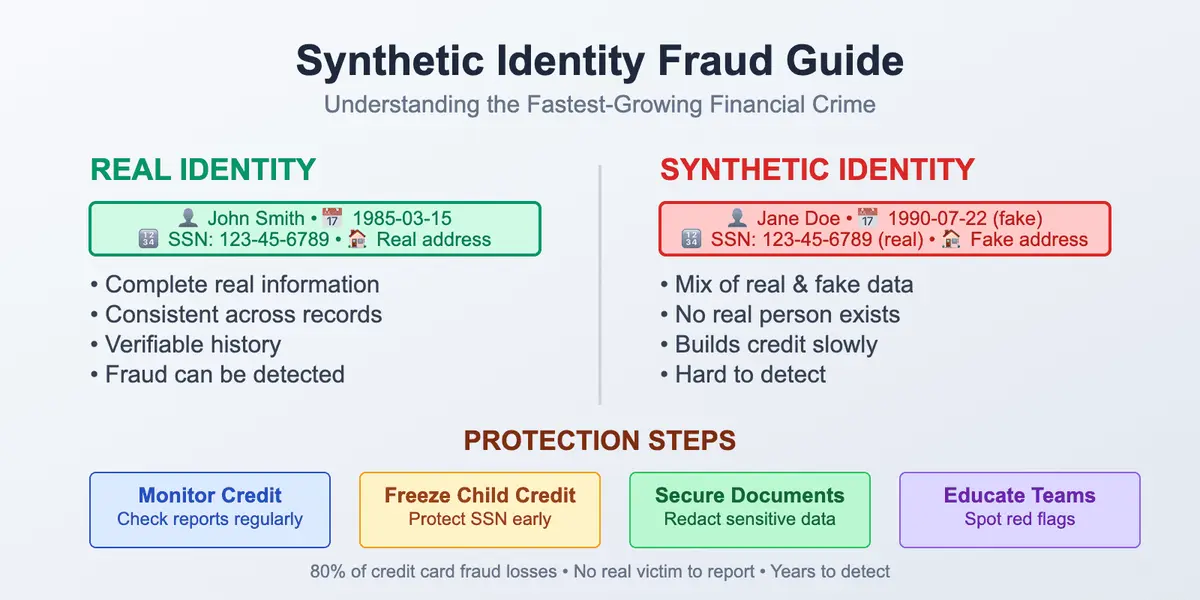
Synthetic Identity Fraud Made Simple: What You Need to Know

If you think identity fraud means someone pretending to be you, it's not quite like that. Synthetic identity theft, also called synthetic identity fraud, is about creating a fake person – and it’s already one of the fastest-growing scams today.

It's true that identity theft isn't a new thing in our world. People have been warned about credit card scams, phishing emails, and other frauds for years, but there is one type of fraud that's more confusing than others because it's harder to identify and catch. Moreover, it's growing faster than almost any other type of scam. This is synthetic identity fraud definition.

In our guide, we'll break it all down in simple terms, so you will understand what synthetic identity fraud is, how it works, why it's so dangerous, and most importantly: what you can do to protect yourself and your business from it.

Data Redaction vs Data Masking

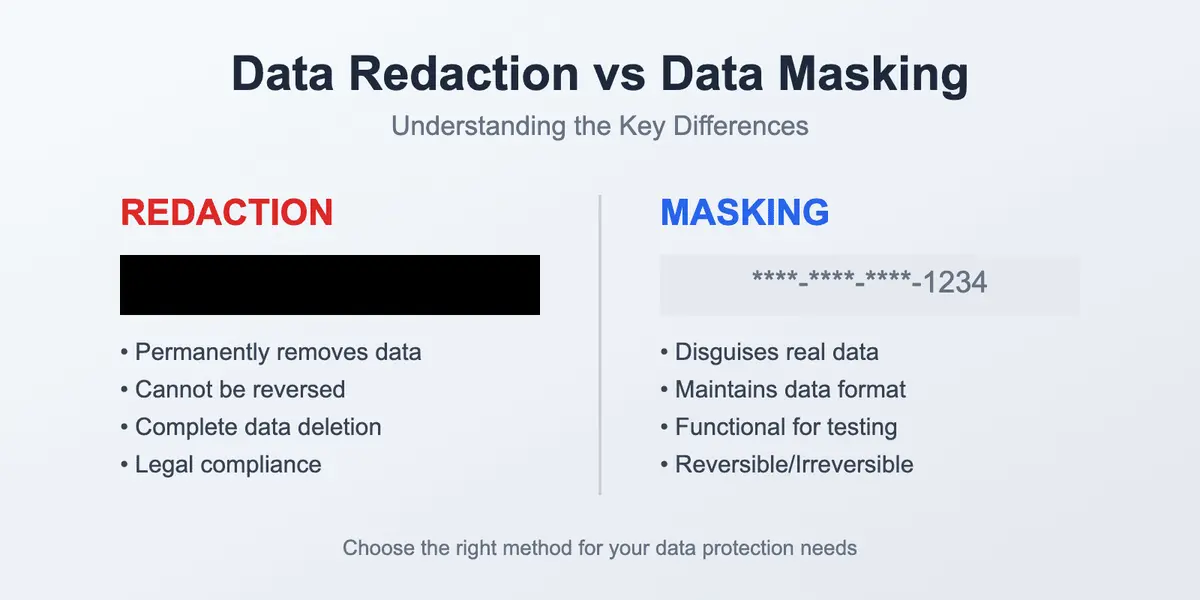
Data Redaction vs Data Masking: What's the Difference

What’s the actual difference between data redaction and data masking when it comes to protecting sensitive data, and why should you care? It may sound like something only for IT or legal teams, but if you ever shared a file with client information, a report with employee data, or uploaded any documents online, this is your business too. In this guide, we'll walk you through the difference between redacting and masking, in simple words, with real examples, and almost zero technical descriptions.
Data Privacy Compliance Checklist

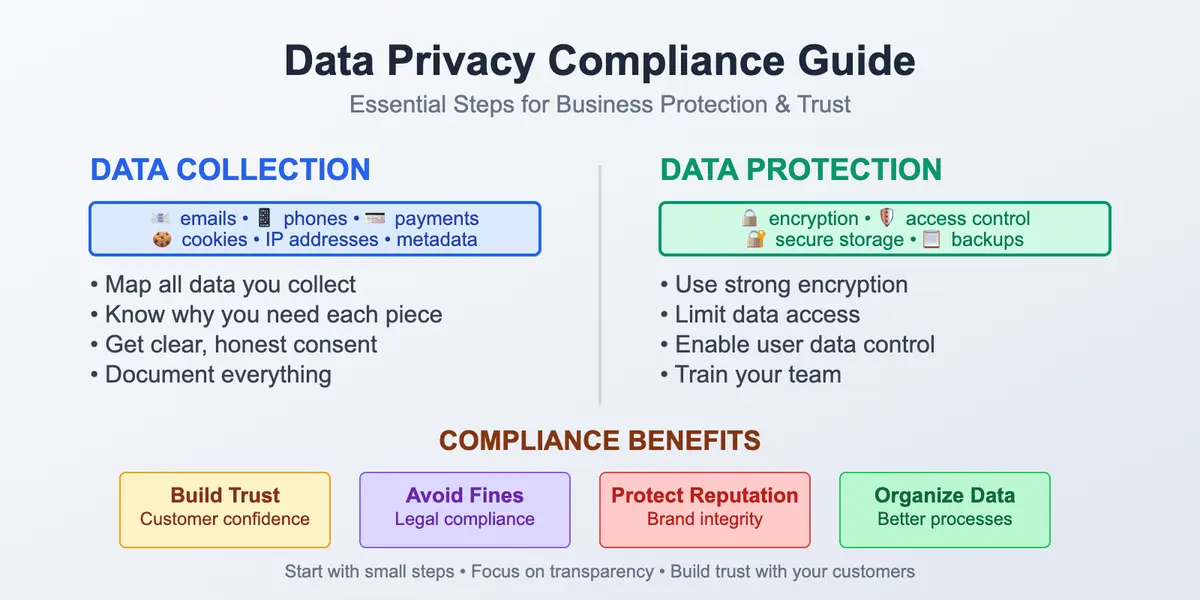
Data Privacy Compliance: Complete Guide for Businesses (2026)

You’ve probably heard a lot about data privacy compliance, HIPAA, GDPR, CCPA, cookie policies, and other privacy regulations. It sounds complicated and scary, but it doesn’t have to be. If you're running any business (online or offline) and collecting people’s personal information, understanding data privacy compliance is a must.

With a clear vision of how to stay compliant across your business processes, you can build trust with your clients and stay transparent in your data privacy policies. This guide provides step-by-step instructions to help you understand what data privacy compliance means, why it matters, and how to get it right without drowning in legal documentation. Let’s dig deeper.

Sending Secure PDF Files

How to Send Secure PDF Files

Security stands in front when it comes to sending PDFs. Our guide will help you navigate this digital-driven world with ease providing the secrets of sharing the most widespread file type – PDF – without any risks. Learn how to send secure PDF files confidently and protect your data from leaks.
Secure Document Sharing

How to Share Sensitive Documents Securely: Complete Guide

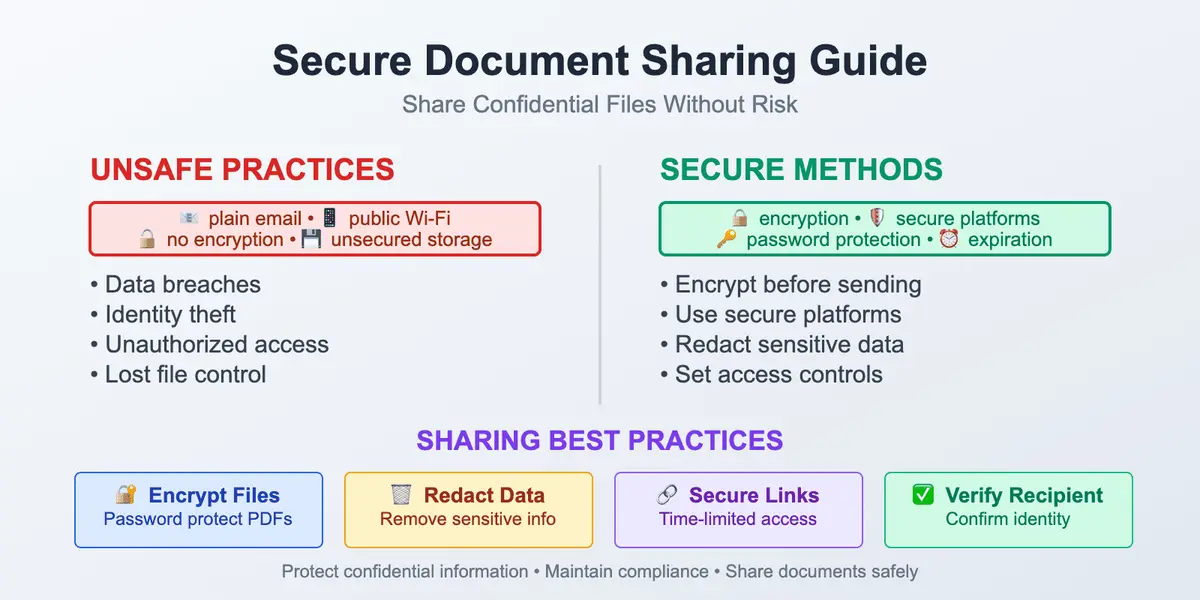
Learn how to share sensitive documents securely without risking data breaches. Best practices for protecting confidential information.
Blacking Out Text in PDF

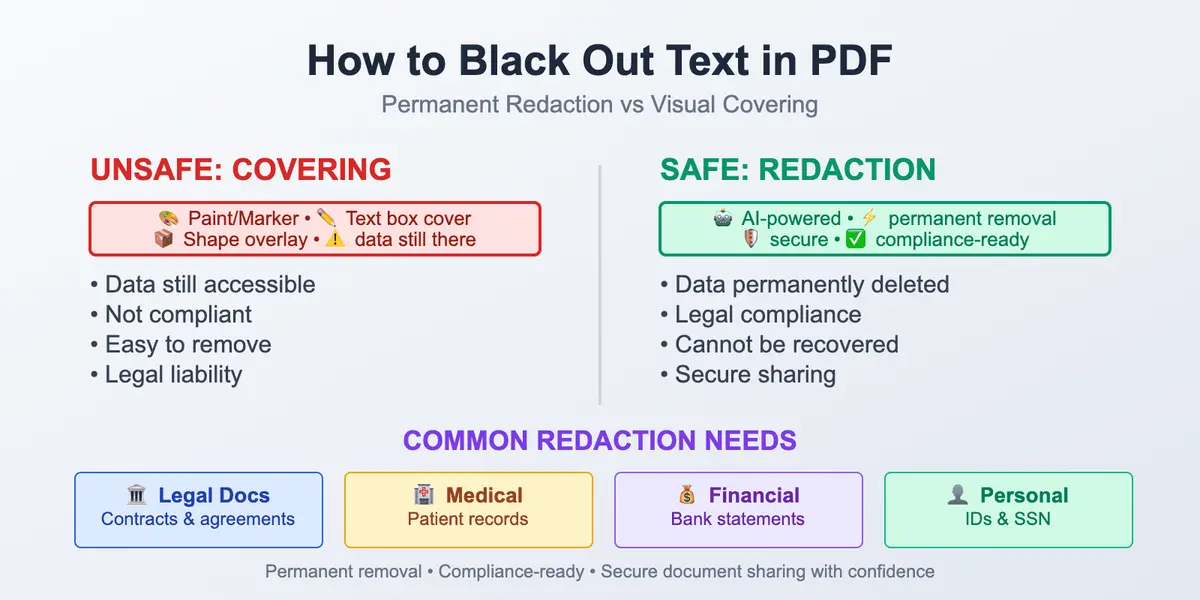
How to Black Out Text in PDF: Ultimate Guide

Learn how to hide sensitive information in PDF files with the right AI-powered tools. Read about how to black out text in seconds and keep your documents protected.

Stay in the Loop

Get the latest articles on document security, PDF redaction, and data privacy delivered to your inbox.